

One MCP Call vs. Fifty: Why Your AI Agent Needs a Platform, Not a Toolchain
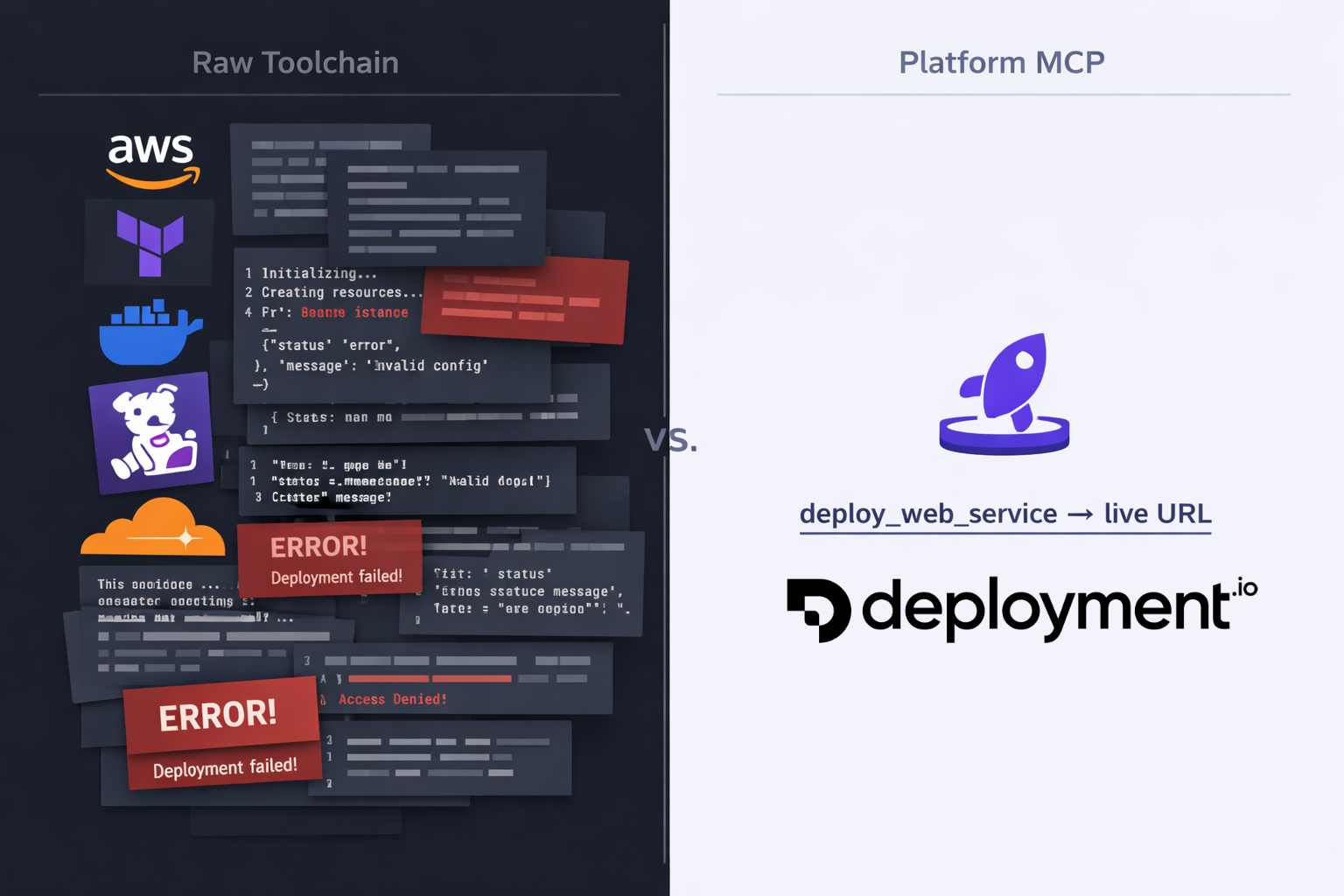
There's a lot of debate right now about how AI agents should interact with infrastructure — MCP (Model Context Protocol) tools or plain old CLI commands? Both can get the job done. But the conversation is missing a bigger point: every tool your agent loads costs you context.
Your AI agent's context window isn't infinite. It's a fixed budget of tokens — and every tool schema, every API response, every error message eats into that budget. The more tools you load, the less room your agent has to actually think about your problem.
So when it comes to infrastructure and deployment, the question isn't just "can my agent do this?" It's "how much context does it cost?"
MCP vs. CLI: What's the Right Interface for AI Agents?
Before we get to the answer, let's address the debate head-on. Why not just let the agent shell out to CLI tools? It already has a terminal. Why bother with MCP at all?
It's a fair question. Here's how they compare:
CLI tools are powerful and universal. Every cloud provider ships one, every DevOps tool has one. Your agent can run aws ecs create-service or terraform apply just like a human would. But CLIs were designed for humans, not LLMs. The output is verbose and unstructured. Error messages assume you can read a terminal and Google the fix. And every command's output dumps raw text into the context window — text the agent has to parse and reason about.
MCP tools are purpose-built for agents. They return structured data — JSON the agent can immediately act on. Schemas are defined upfront, so the agent knows exactly what parameters to pass and what to expect back. No parsing, no guessing, no walls of terminal output.
Here's where it gets interesting:
| CLI | MCP | |
|---|---|---|
| Designed for | Humans | AI agents |
| Output format | Unstructured text | Structured JSON |
| Error handling | Free-form error messages | Typed error responses |
| Discoverability | --help flags, man pages | Schema auto-loaded into context |
| Upfront context cost | Low — no schema loaded | Higher — tool schemas loaded into context |
| Per-call context cost | Varies — verbose, unpredictable output | Lower — concise, structured responses |
| Flexibility | Maximum — can do anything | Scoped — does what the tool exposes |
CLI wins on flexibility. If your agent needs to do something obscure — like tweaking a specific AWS IAM policy condition — a CLI can handle it. MCP tools are only as capable as what the platform exposes.
But MCP wins on everything that matters for agent performance: structured output, predictable context cost, and lower error rates. Still, whether you use MCP or CLI, using raw infrastructure tools means your agent is juggling dozens of services. And that's where the real problem lies.
The Raw Infrastructure Approach
Let's say you ask your AI agent: "Deploy my Node.js app to production with monitoring and a custom domain."
Without a platform like Deployment.io, your agent needs to orchestrate across a stack of tools — whether via MCP or CLI:
- AWS CLI/MCP — provision compute (EC2, ECS, or Lambda), configure VPCs, set up security groups, create IAM roles, attach load balancers
- Terraform MCP — write infrastructure-as-code definitions, plan and apply changes, manage state
- Docker CLI — build images, tag them, push to a container registry
- Datadog/CloudWatch MCP — create dashboards, set up alerts, configure log pipelines
- Cloudflare/Route53 — configure DNS records, provision SSL certificates
Each of these tools comes with its own schema or command surface that gets loaded into the context window. We're talking dozens of tool definitions before the agent even starts working.
Then the execution begins. Each step produces verbose output — JSON responses from AWS, Terraform plan diffs, Docker build logs. Every response lands in the conversation and stays there.
Your agent is now spending its reasoning capacity on IAM policy syntax and security group ingress rules instead of understanding what you actually need.
And when something fails halfway through? The agent needs to debug across multiple systems, with error messages from different providers, all competing for the same limited context.
The Platform Approach
Now imagine the same request with Deployment.io's MCP tool.
Your agent calls deploy_web_service. One tool. One call.
Behind the scenes, Deployment.io handles all the infrastructure orchestration — compute provisioning, container builds, networking, monitoring, DNS. The complexity lives server-side, not in your agent's context window.
The response comes back clean: a deployment URL, a status, a job ID for tracking. A few hundred tokens instead of thousands.
Your agent still has plenty of context left to help you with what actually matters — your application code, your business logic, your next feature.
The Context Math
The difference is stark. With a platform MCP like Deployment.io, you're looking at:
- Significantly fewer tool schemas loaded into the context window — a handful of focused, high-level operations instead of dozens spread across AWS, Terraform, Docker, and monitoring tools
- 10x fewer round-trips per deployment — one or two calls instead of a chain of interdependent steps across multiple providers
- A fraction of the token consumption — a clean deployment URL and status vs walls of JSON responses, Terraform plan diffs, and Docker build logs
- A single error surface instead of failures that can cascade across multiple systems, each generating verbose output that eats more context
Why This Matters More Than You Think
Context efficiency isn't just about fitting more into a conversation. It has compounding effects:
Better reasoning. LLMs perform worse as context fills up. Important details from earlier in the conversation get "pushed out" by walls of infrastructure output. A leaner context means your agent stays sharper.
Longer sessions. If a single deploy burns a huge chunk of your context window, there's less room for the rest of your workflow. With a platform approach, that same deploy uses a fraction of the space, leaving room for everything else.
Fewer errors. More tool calls mean more opportunities for failure. Each failure generates error output that consumes even more context. A single abstracted call dramatically reduces this cascade.
Faster iteration. Less context to process means faster responses. Your agent spends less time parsing infrastructure output and more time being useful.
The PaaS Parallel
If this sounds familiar, it should. It's the same argument that made platforms like Heroku revolutionary a decade ago.
Before Heroku, deploying a web app meant provisioning servers, configuring nginx, setting up process managers, managing SSL certificates. Heroku collapsed all of that into git push heroku main.
Deployment.io does the same thing — but for AI agents. The abstraction isn't just developer convenience anymore. It's context efficiency for LLMs.
In a world where AI agents are becoming the primary interface for infrastructure, the platforms that win will be the ones that are most context-efficient — the ones that give agents maximum capability with minimum token cost.
Getting Started
If you're already using Deployment.io, the MCP integration works out of the box with tools like Claude Code and Cursor. Your agent gets access to high-level operations — deploy services, manage environments, check job status — without needing to understand the infrastructure underneath. Check out how AI agents can deploy your apps to see it in action.
If you're not using Deployment.io yet, think about what your agent's context window looks like right now. How many tools are loaded? How much output is each one generating? There might be a simpler way.