

How to Automate Error Monitoring and Fixing with Claude Code Scheduled Tasks
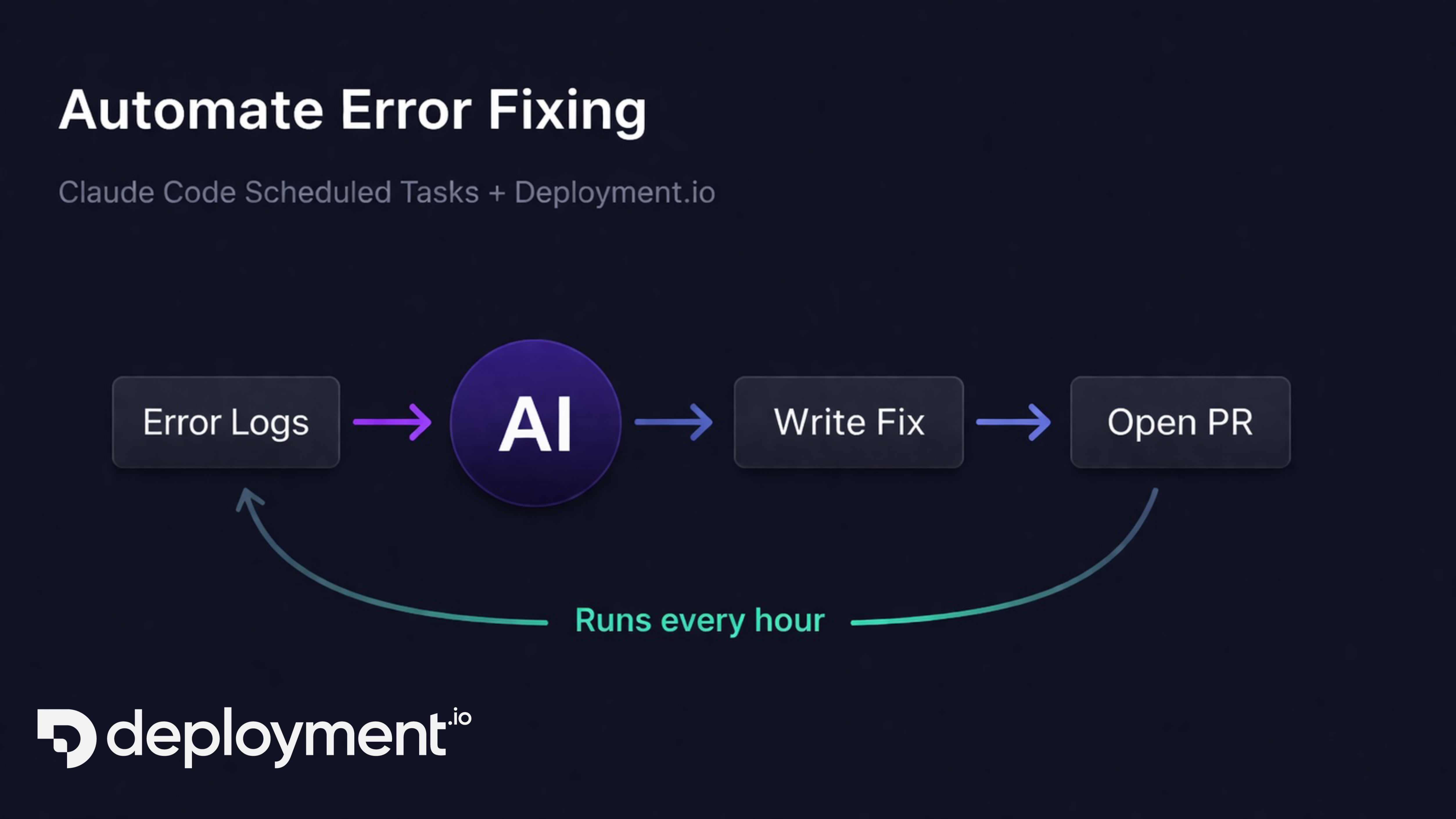
What if your production errors could fix themselves?
Not in a hand-wavy, futuristic sense. Today, you can set up a pipeline where Claude monitors your deployment logs every hour, identifies errors, traces them to the root cause in your codebase, writes a fix, and opens a PR for your team to review. It takes about thirty seconds to configure.
This is possible because of two things working together: Claude Code's scheduled tasks and Deployment.io's MCP tools.
Why Automated Error Monitoring Matters
Most teams have the same error-handling workflow: an alert fires, someone triages it, someone investigates, someone fixes it, someone reviews the fix. Each step has latency — hours, sometimes days. Meanwhile, the error keeps hitting production.
The new approach collapses that entire loop into a single automated cycle. Claude runs on a schedule, pulls your error logs, and does the investigation and fix itself. Your team's only job is reviewing the PR.
How Scheduled Error Fixing Works
The setup has three pieces:
-
Deployment.io MCP tools give Claude access to your deployment logs. The
get_deployment_logstool fetches logs from any deployed service with time range filtering and regex search patterns. -
Claude Code scheduled tasks let you define a prompt that Claude executes on a recurring schedule — hourly, daily, or any cron expression.
-
Claude's coding ability handles the analysis, root cause identification, fix, and PR creation.
When these combine, you get a continuous loop:
Fetch → Claude pulls the last hour of error logs from your service.
Analyze → It parses the errors, groups them by type, and identifies which ones are actionable code bugs versus infrastructure noise.
Trace → For each actionable error, Claude reads your codebase to find the root cause.
Fix → It writes the fix, runs your test suite, and verifies the change.
PR → It opens a pull request with a clear description of the error, the root cause, and the fix.
Then it waits an hour and does it again.
Setting Up Claude Code Scheduled Tasks with Deployment.io
First, make sure you have the Deployment.io MCP server connected to Claude Code:
claude mcp add deployment-io --transport http https://api.deployment.io/v1/mcp
Then, in Claude Code, just describe what you want:
Create a scheduled task that runs every hour. Each run should:
- Fetch error logs from my production web service for the last hour using the Deployment.io MCP tools
- Analyze the errors and identify actionable code bugs
- For each actionable error, trace the root cause in the codebase
- Write a fix, run the tests, and open a PR if the tests pass
Claude creates the scheduled task, wires up the log fetching, and starts the cycle. You can also create it more explicitly:
claude
> /schedule
This walks you through creating the task with a specific cron expression, prompt, and configuration.
Behind the scenes, Claude creates a task that:
- Runs
get_deployment_logswith a time window of the last 60 minutes and a search pattern filtering for errors - Groups and deduplicates the errors
- Skips errors it has already fixed in a previous cycle
- Creates a branch, commits the fix, and opens a PR with full context
Beyond Alerting: AI That Fixes Errors, Not Just Reports Them
It is not just alerting. Alerting tells you something broke. This tells you something broke, shows you why, and hands you the fix.
It handles the boring errors. Every codebase has a backlog of low-priority errors that never get fixed — null pointer exceptions on edge cases, unhandled error codes from third-party APIs, off-by-one errors in pagination. These are exactly the kind of errors Claude is good at fixing, and exactly the kind that teams deprioritize.
It compounds over time. Each cycle reduces the error count. After a week, the errors Claude finds are increasingly rare edge cases that might have taken months to surface through normal triage.
You stay in control. Every fix goes through a PR. Nothing hits production without a human review and approval. And if you are using Deployment.io's production approval workflow, deploying the fix requires explicit approval too.
Configuring Error Monitoring Frequency and Scope
A few things you can adjust:
Frequency. Hourly is a good default, but you can run it every 30 minutes for high-traffic services or daily for stable ones.
Search patterns. Instead of fetching all errors, you can filter for specific patterns. For example, only 5xx errors, or only errors from a specific service path.
Scope. You can limit Claude to specific directories or files in your codebase, so it only proposes fixes in areas your team is comfortable with.
Multiple services. You can create separate scheduled tasks for each deployed service, each with its own cadence and rules.
A Practical Example
Say you have a Node.js API deployed on Deployment.io. Over the past week, your logs show a recurring TypeError: Cannot read properties of undefined (reading 'email') when processing webhook payloads from a partner integration.
The error happens maybe 5 times a day — not enough to be urgent, but enough to be annoying. It has been in the backlog for two sprints.
With the scheduled task running, here is what happens:
- Claude fetches the hour's logs and spots the TypeError
- It reads the stack trace, finds the handler in
src/webhooks/partner.ts - It sees that the payload schema assumes
user.emailalways exists, but the partner sometimes sends payloads without it - It adds a null check with a sensible fallback and logs a warning instead of crashing
- It runs your test suite, adds a test case for the missing email scenario, and opens a PR
Your team reviews a clean PR with the error context, root cause analysis, and fix. Approve, merge, deploy. The error stops hitting production.
That is the entire workflow — and it happened without anyone on your team spending time investigating.
Getting Started
If you are already using Claude Code and Deployment.io, you are five minutes away from setting this up.
- Connect the Deployment.io MCP server if you have not already
- Ask Claude to create the scheduled task
- Review the first batch of PRs to calibrate
The scheduled task runs within your Claude Code session, so it has access to your full codebase and development tools. It respects your existing git workflow — branches, tests, PR templates, and CI checks all work as normal.
Start with a single service. Watch the PRs come in. Adjust the scope and frequency as you build confidence. Your error backlog is about to get a lot shorter.
If you are new to deploying with AI agents, check out how AI agents can deploy your apps on Deployment.io to get started.